LED Window Displays: See Yours on Your Own Shopfront, Day and Night, Before You Decide
LED Window Displays: See Yours on Your Own Shopfront, Day and Night, Before You Decide
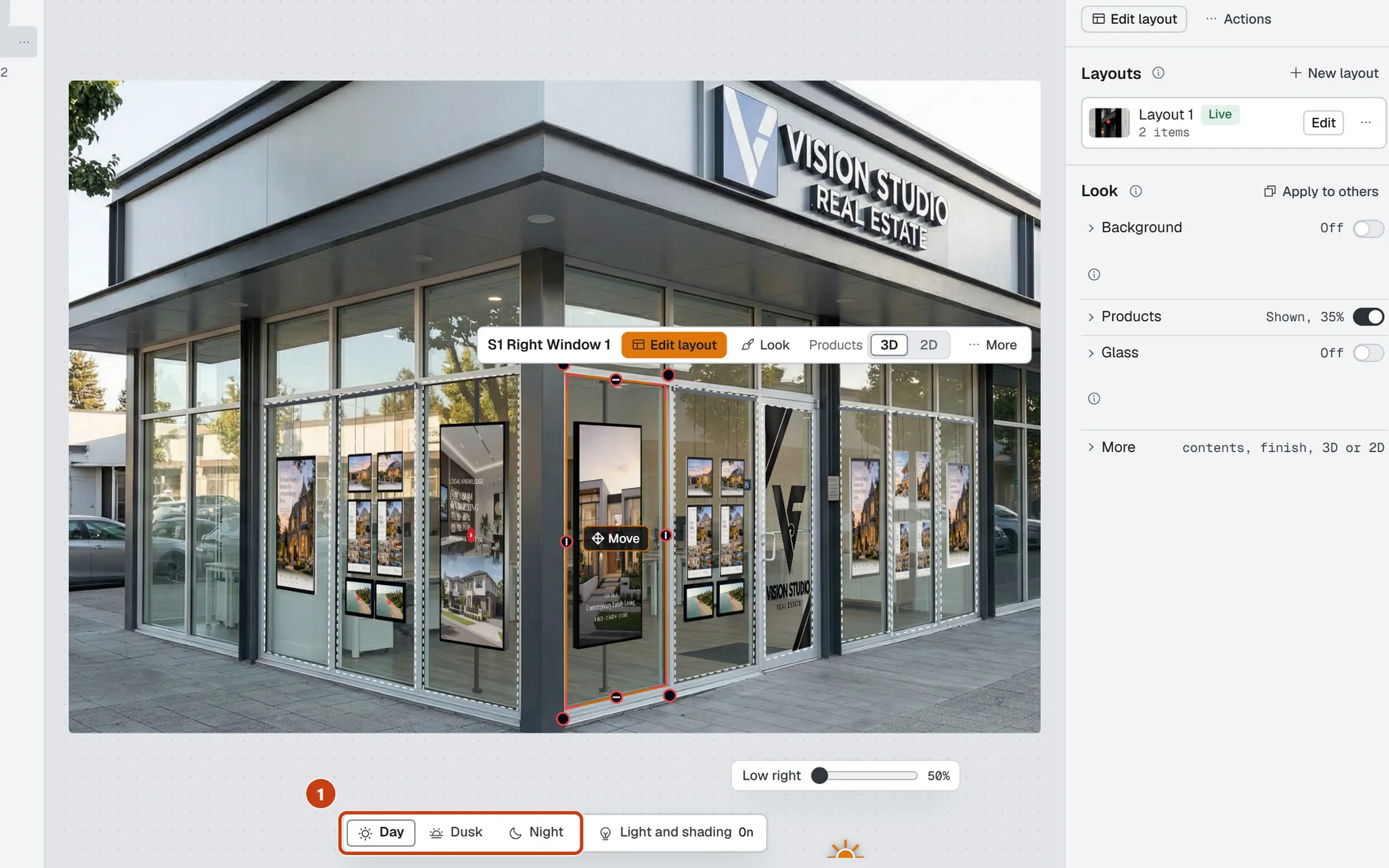
Choosing an LED window display is a big decision, and a spec sheet will not tell you how one looks in your window after dark. So before you commit to anything, we show you. At LED BY US we use our mockup tool, Vision Insitu, to put the displays into a photo of your own shopfront, at real size, in daylight and at night. Here is what that means for you.
Your own shopfront, at real size
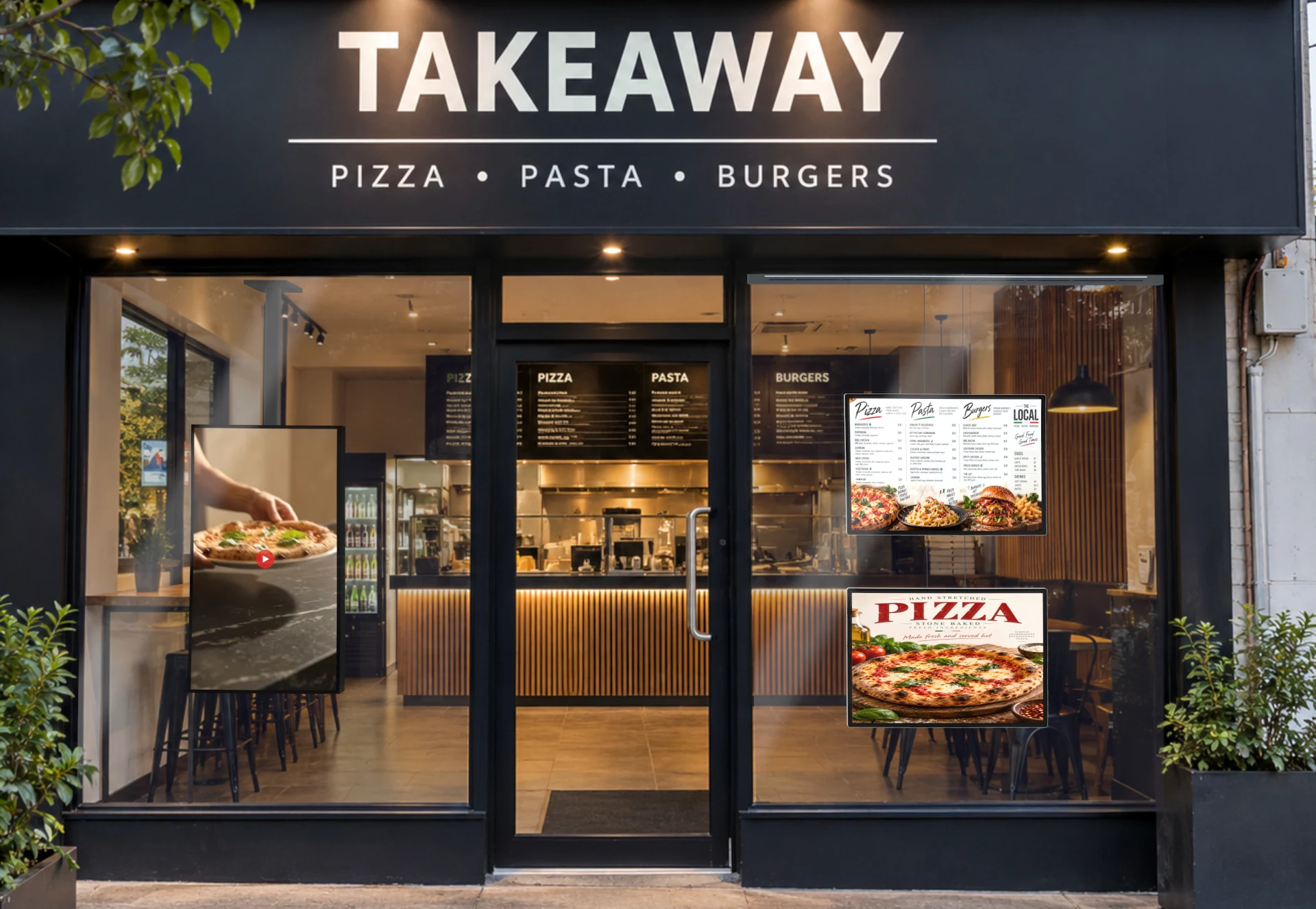
A generic picture of someone else’s window only gets you so far. We start with a photo of your shopfront and the real measurements of your glass. Those measurements set the scale, and the displays we place come in their real product sizes. What you see is a realistic preview of your window with the displays in it, not a rough guess.
These digital display mockups let you judge the things that are hard to imagine: how much of the window a screen takes up, whether portrait or landscape suits the glass, and whether the content stays easy to read from the footpath.
How it looks after dark
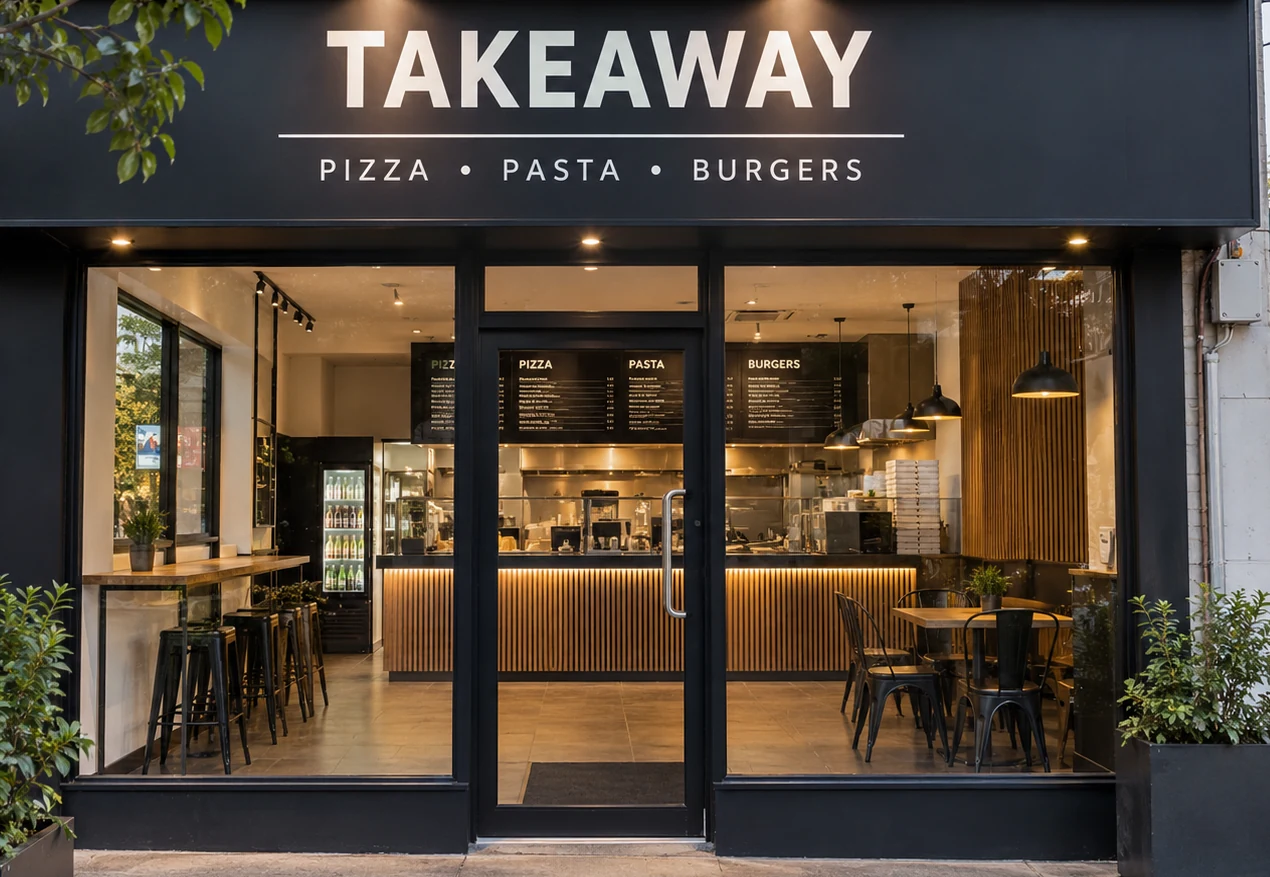
A lit screen looks different at midday and at 8pm, and your window is on show in the evening too. Our design view has a Day, Dusk and Night switch, so you can see your displays glow against the darkened scene. We can also adjust brightness and glow, and flip back to the original photo to compare the design with your shopfront as it is now. You find out how it looks lit up after hours before anything is ordered.
Content that moves, and a design you can keep
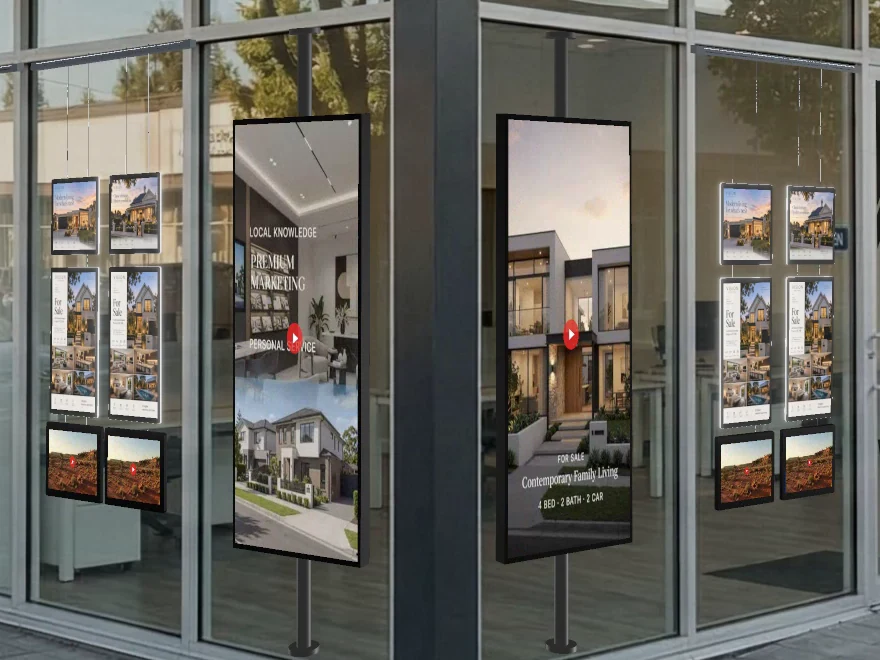
Digital screens are about movement, so a still picture only tells half the story. Animated content plays on the screens in the preview, which means you can judge the real thing instead of a black rectangle. We can give you the result as images or as a video file to keep and show other people: a PNG still, an MP4 or WebM video, or a looping WebP.
Glass, reflections and what passers-by will actually see
Digital signage for shop windows has its own quirk: your displays sit behind glass, and glass reflects. The preview includes the pane in front of the displays, with adjustable reflection and tint, so we can show you whether a bright afternoon or a streetlight is likely to get in the way of your content. If small text becomes hard to read in the design, you will see that now, and we can change the screen size or the content instead of finding out after installation.
If you are thinking about more than one screen, a video wall spreads a single image across several of them. We can show you how that looks in your window, including how the image splits across the panels, before you make that call.
Compare options, then choose with confidence
There is rarely one right answer, so we can build several options on the same photo: one large screen against two smaller ones, portrait against landscape, or a simpler arrangement with fewer displays. Sometimes the best fit is the smaller, simpler one, and seeing it next to the alternatives is how you find that out. The goal is not to fill your window. It is to get what suits your shopfront.
Changes without the wait
If you want something moved, resized or swapped, tell us and we update the design. Because we build it ourselves in the tool, there is no designer queue and no new file to chase: the link we already sent you shows the updated version. That is why a design can be ready in minutes, not days.
Sign-off with one link
When the options are ready, we send you a Share link. Open it on your phone or your computer. There is no account to create, no login and nothing to install, and you can switch between the options we prepared.
The link also makes it easy to get everyone on the same page. Forward it to your business partner, your manager, your landlord or head office, and they all look at the same design instead of a description of it. Two controls keep it tidy: we can add a password, and we set an expiry date so the link stops working after a set time. Anyone who holds the link can open it, so ask for a password if the design is private. When the job is done, we can switch the link off.
Fewer surprises at installation
Real measurements and real product sizes mean the size on screen matches the size that gets quoted and built. In practice that points to the right size and the right number of displays the first time, fewer surprises on install day and fewer meetings and site visits along the way. A mockup is a visualisation, so we still confirm the final dimensions on site before anything is made.
Frequently asked questions
Do I need to install anything to see the design?
No. You open the link in your normal web browser on a phone, tablet or computer. There is nothing to download and no account to create.
Can my team see it too?
Yes. You can forward the link to a partner, manager, landlord or head office. We can add a password and an expiry date, and we can switch the link off once the job is finished.
Can you show me how a digital screen looks at night?
Yes. The design can be switched between Day, Dusk and Night, so you can see your displays glow after dark, and compared with the original photo of your shopfront.
Can I see more than one option?
Yes. We can prepare several layouts for the same window, and you can switch between them using the link.
Can I keep images or a video of the design?
Yes. Ask us for the design as PNG images, as a video (MP4 or WebM) or as a looping WebP, and you can keep it or show it to others.
Want to see your own shopfront?
Contact LED BY US and tell us about your window. We will put together a mockup of your own shopfront so you can see the options before you decide. If you are curious about the tool itself, you can see how the tool works or read what Vision Insitu is built for.